Need Help Setting Up Your First Campaign?   Get a free 1:1 onboarding call — tailored to your business. Contact for more

Official Meta-Approved WhatsApp Business API Provider

WhatsApp Payments: Collect Payments Directly within WhatsApp

Transform Your Customer Interactions with In-Chat Payments
Collect payments directly within WhatsApp and make every conversation count.
Accept payments via:
UPI
Net Banking
Credit & Debit Cards

Real Humans. Real Help. 24×7 Live Support.

Dedicated Manager

Chat Support

Call Support
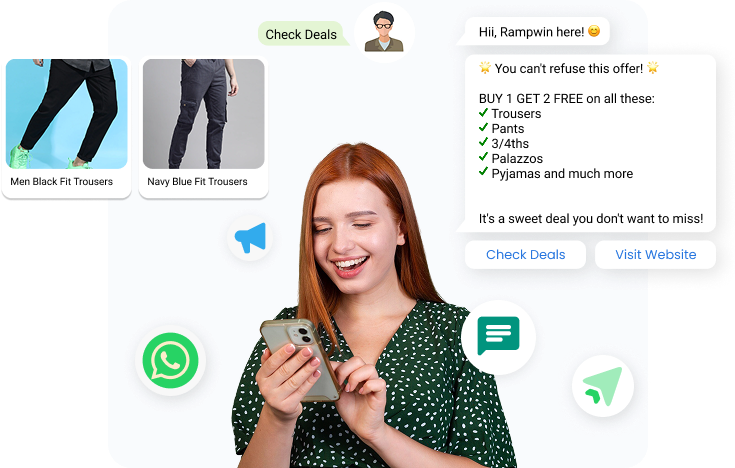

Everything You Need for WhatsApp Engagement

From campaigns and chatbots to payments and analytics, Rampwin gives you every tool to connect, automate, and grow.

Srart for FREE

Why Use WhatsApp Payments?

Whether you run an eCommerce brand or a service-based business, WhatsApp Payments provides a secure, seamless, and easy-to-use solution that fits perfectly into your customer journey.

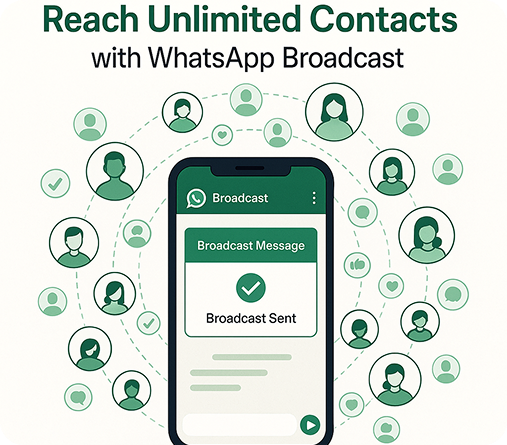
Reach Unlimited Contacts

Broadcast your message to as many contacts as you want, without limits or restrictions.

WhatsApp Payment Features-Powered by Rampwin

Enable seamless, secure, and instant payments directly within WhatsApp, designed to simplify your customer journey.

Know Who Paid - and Who to Follow Up With.

Track payments in real time and automatically remind customers who haven’t completed checkout.

Send Payment Requests Right from WhatsApp

With Rampwin, you can broadcast payment messages to all your users, or send personalized payment requests to individual customers directly through Live Chat or Chatbot Flows.

See Every Payment in One Place

No more switching tabs or tools, view all your WhatsApp payments together in one simple dashboard.

Verify Payment status from User Profile

You can easily verify the payment status of customers individually from the payments section under the user profile of a customer.

Start Collecting Payments on WA in 6 Simple Steps

Create payment links, send them through chat or campaigns, and track every transaction, all from one dashboard.

Step 1

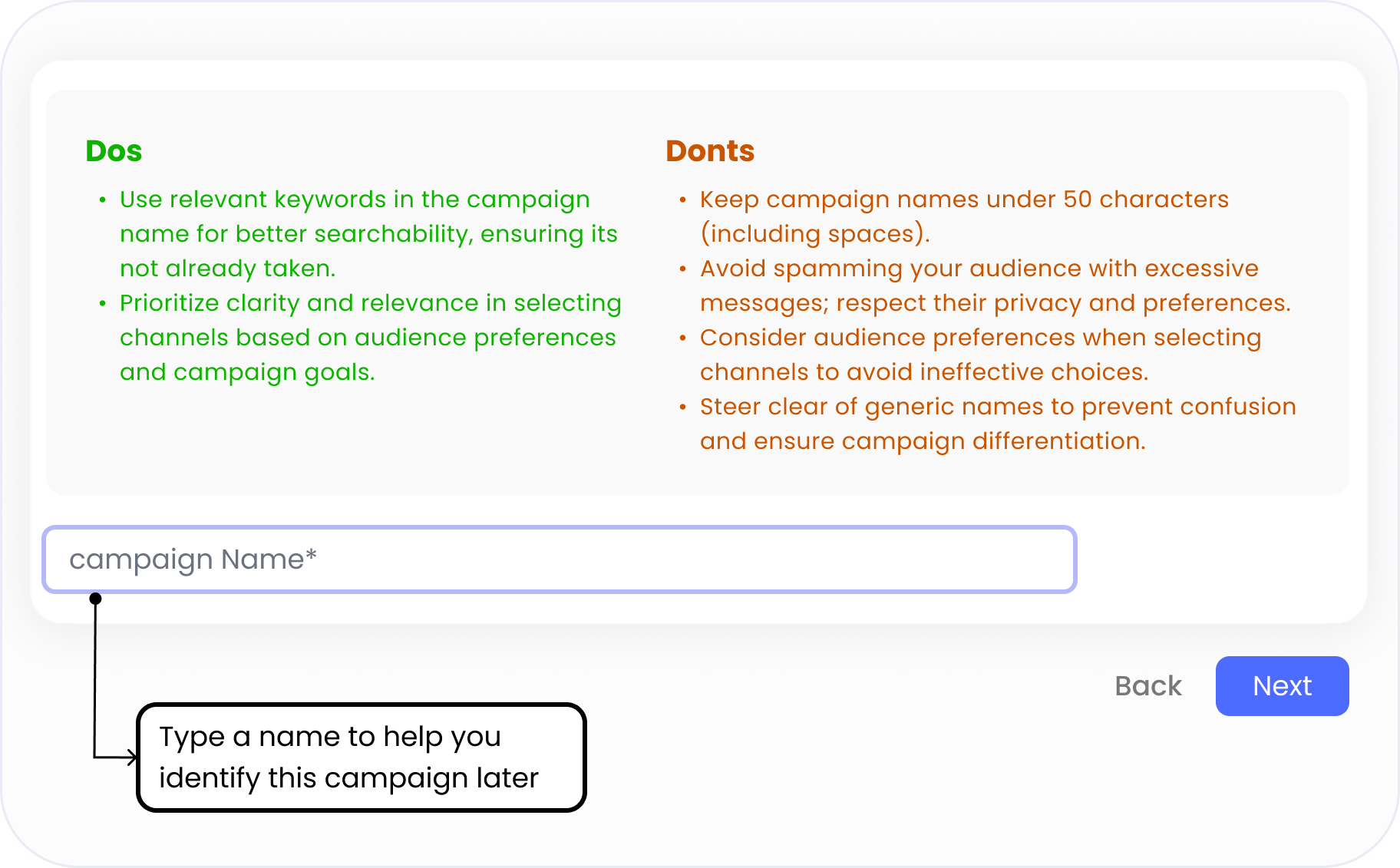
Name Your Campaign

Takes ~30 seconds – 1 minute

  • Go to the “Broadcasts” tab and click “Create Campaign.”
  • Give your campaign a clear, keyword-friendly name (max 50 characters).
  • A good name helps you track performance and search for campaigns later.

Step 2

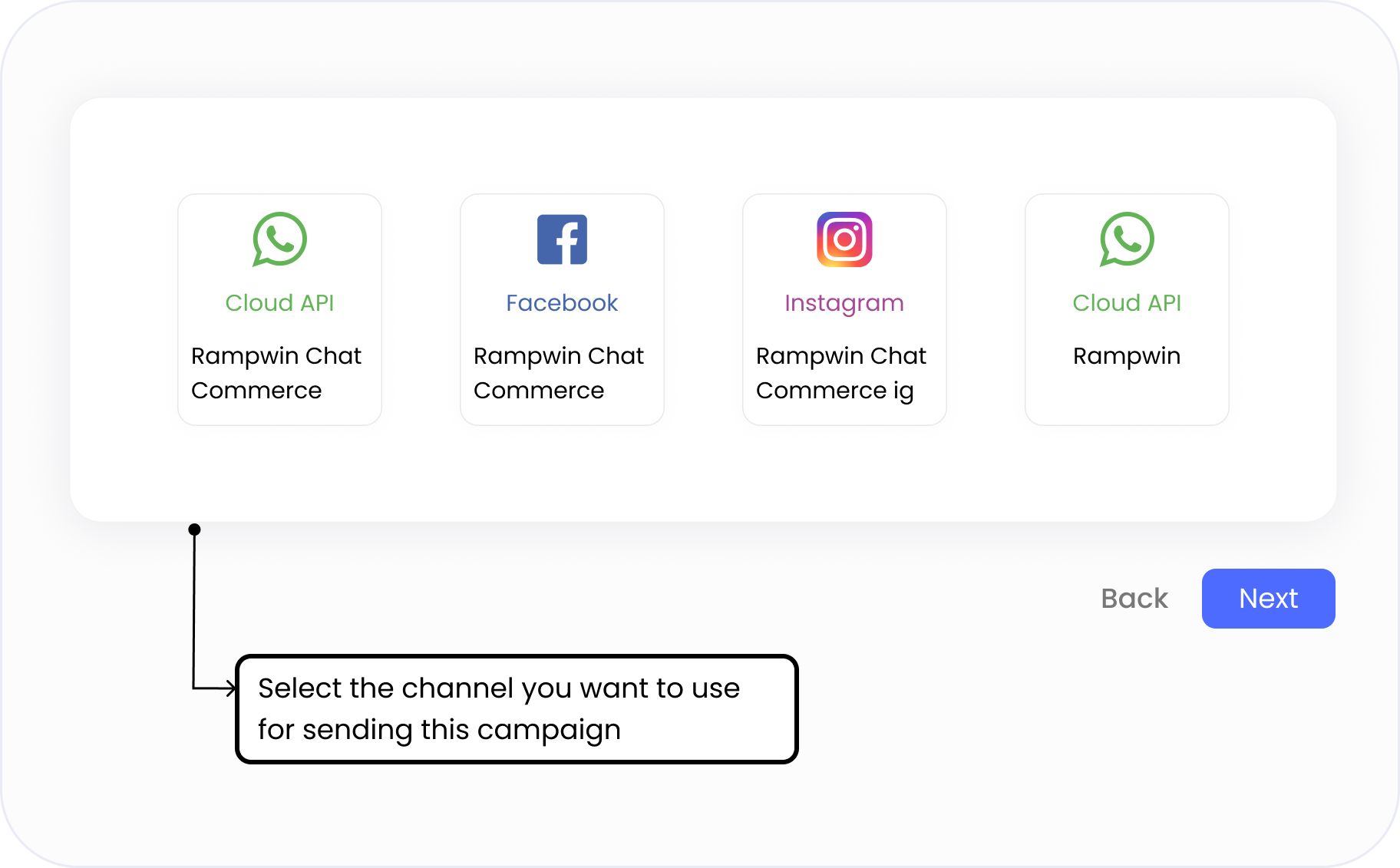
Choose Your Sending Channel

Takes ~15 seconds

  • Pick the WhatsApp number, Facebook page, or Instagram account you want to send your campaign from.
  • Each campaign is linked to a specific sender — making it easier to track performance and manage replies.
  • Use names like Rampwin Chat Commerce, Rampwin Support, or Rampwin IG to align with your communication goal (sales, support, announcements).
  • Channels marked with Cloud API indicate verified WhatsApp Business senders.

Step 3

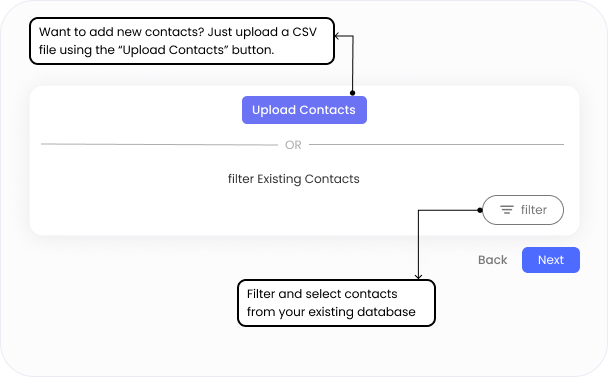
Select or Upload Your Audience

Takes ~30 seconds – 1 minute

  • Choose from your existing contacts using filters like tags, names, company, or past actions.
  • Or click “Upload Contacts” to add a fresh list via CSV — no complex formatting required.
  • Use filters like blacklist status, appointment date, or reseller type to segment precisely.
  • Targeting the right people improves engagement and lowers opt-outs.

Step 4

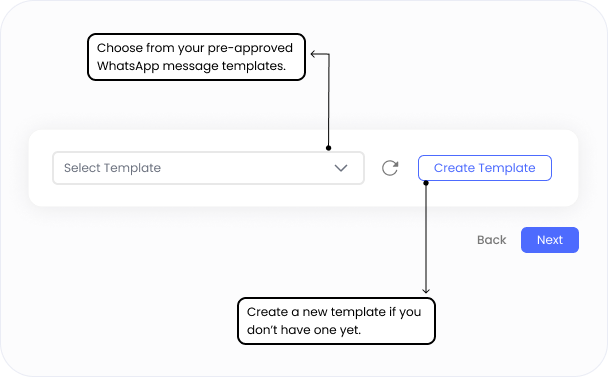
Choose a Message Template

Takes ~1–2 minutes

  • Select from your approved WhatsApp message templates using the dropdown.
  • You can search by name to quickly find the right template.
    Each template is pre-approved by WhatsApp and categorized (e.g., quiz, carousel, lead drop).
  • Need a new one? Click “Create Template” to submit a fresh message for approval.
  • Use variables (like customer name or order ID) to personalize your message dynamically.

Step 5

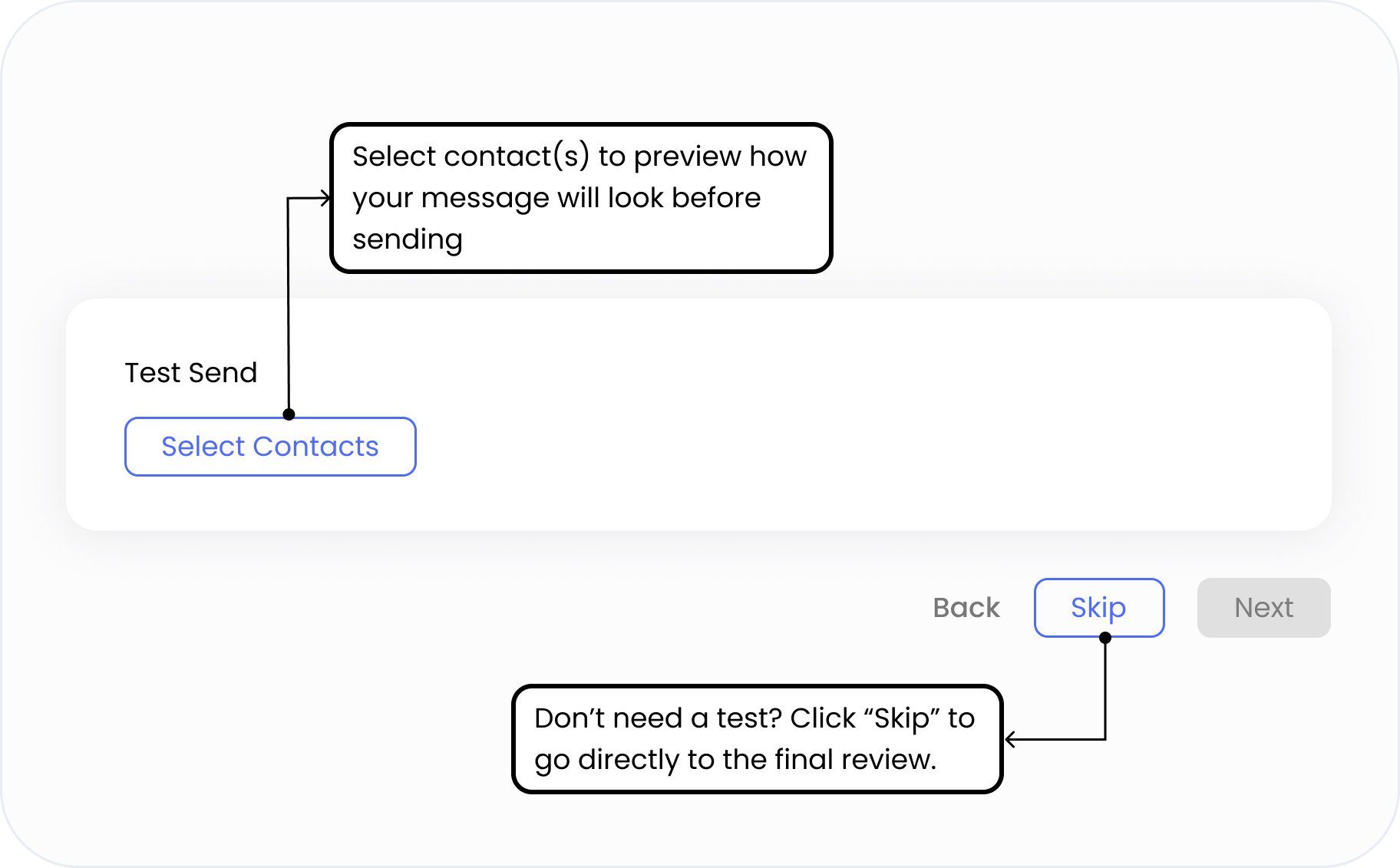
Send a Test Message

Takes ~10 seconds

  • Choose one or more internal contacts to preview your message before it goes live.
  • Ensure variables (like name or order ID) display correctly, and the format looks perfect.
  • This helps you catch typos, layout issues, or delivery problems before sending at scale.
  • You can also skip this step if you’ve already tested the template before.

Step 6

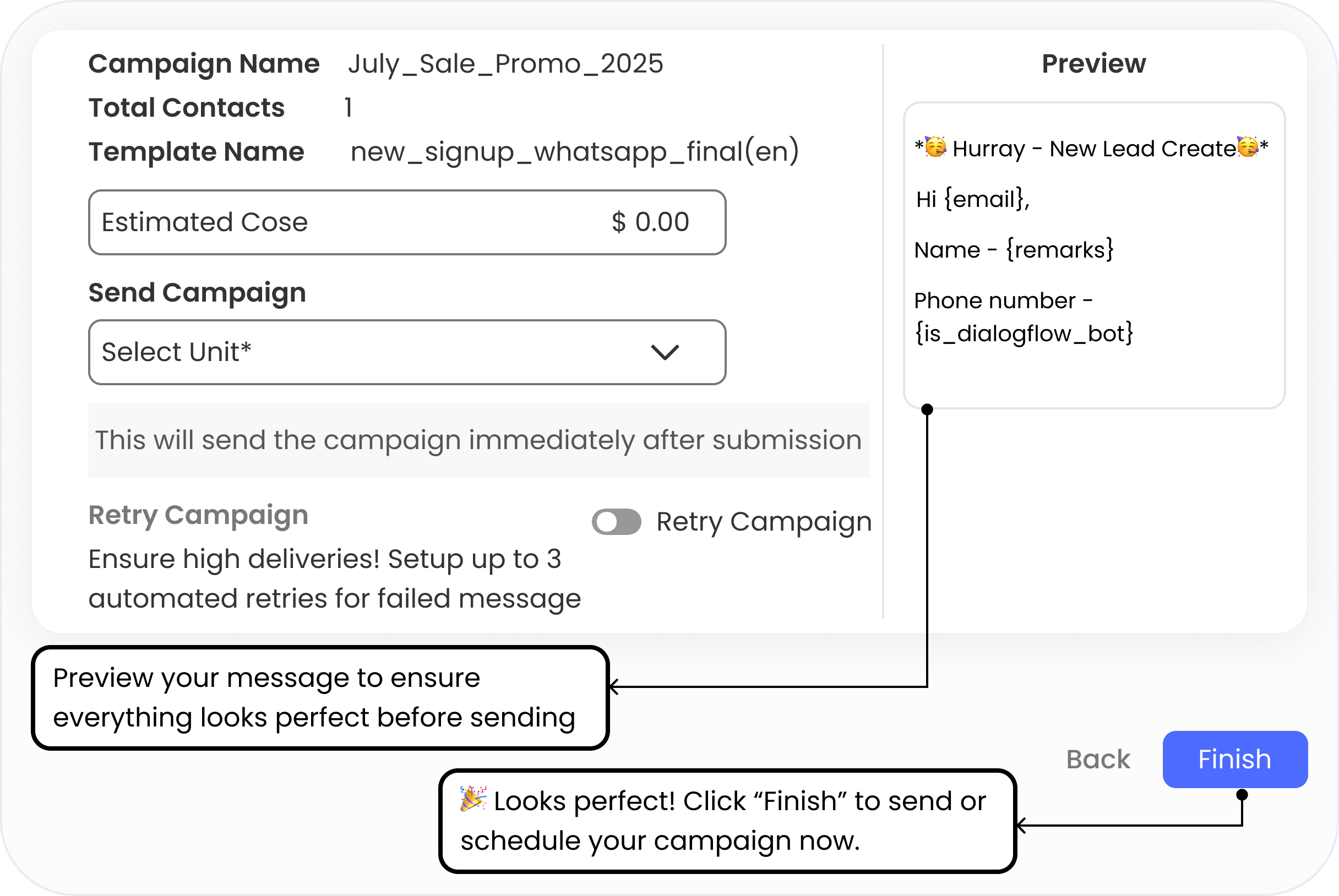
Review & Launch Your Campaign

Takes ~15 seconds

See a complete summary of your campaign, including:

  • Campaign name
  • Total contacts selected
  • WhatsApp template used
  • Estimated cost
  • Preview your personalized message before sending.
  • Choose when to send: Immediately or Schedule for later.
  • Optionally enable “Retry Campaign” to automatically resend to failed numbers.
Q 1. What are WhatsApp Payments in Rampwin?

Yes. WhatsApp only allows message broadcasting via approved business accounts. Our team will guide you through the setup process.

Yes. WhatsApp only allows message broadcasting via approved business accounts. Our team will guide you through the setup process.

Yes. WhatsApp only allows message broadcasting via approved business accounts. Our team will guide you through the setup process.

Yes. WhatsApp only allows message broadcasting via approved business accounts. Our team will guide you through the setup process.

Yes. WhatsApp only allows message broadcasting via approved business accounts. Our team will guide you through the setup process.

Frequently Asked Questions

Start WhatsApp Payments Today 🚀

No setup delays. No coding needed.
Just connect your payment gateway, share the link, and start collecting payments in minutes.